Holo etiketine sahip kayıtlar gösteriliyor. Tüm kayıtları göster

14 Mart 2014 Cuma

CM10/CM11 HoloWhite Theme 1.4


Welcome to HoloWhite theme for CM10.1 (Cyanogenmod), AOKP and other custom roms. 


Size: 1.1 MB
Android Requires : 4.0.3+

https://play.google.com/store/apps/details?id=cm.theme.HoloWhite


CM10/CM11 HoloWhite Theme - screenshot thumbnailCM10/CM11 HoloWhite Theme - screenshot thumbnailCM10/CM11 HoloWhite Theme - screenshot thumbnailCM10/CM11 HoloWhite Theme - screenshot thumbnailCM10/CM11 HoloWhite Theme - screenshot thumbnailCM10/CM11 HoloWhite Theme - screenshot thumbnailCM10/CM11 HoloWhite Theme - screenshot thumbnailCM10/CM11 HoloWhite Theme - screenshot thumbnail
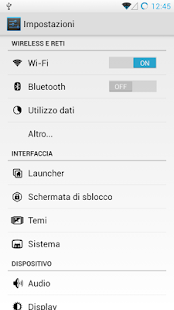
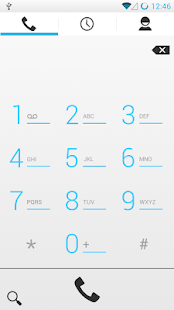
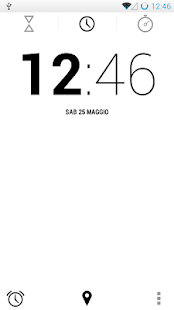
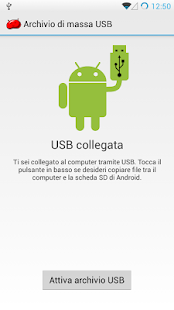
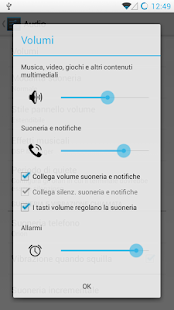
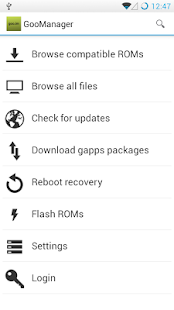
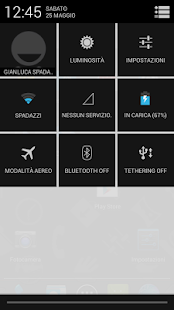
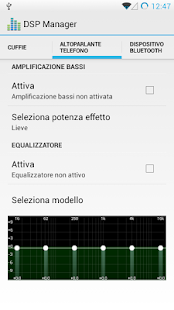
Almost all apps of your rom will have light background! I started developing this theme because many users are bored of dark themes, so this will mantain the holo interface, with the addition of light backrounds. For more infos you can see screenshots.

FEATURES:
-apps that depend from theme.holo.light by default (like contacts, messagging app and other) are still holo light themed.
-apps that depend from theme.holo (like settings, dsp manager, downloads and other) are now holo light themed.
-light dialer app
-light clock app
-white statusbar
-transparent white notification drawer
-transparent white panels and dialogs
-light gallery
-light goomanager
-light theme chooser
-light nova settings
-light tesla unread
-light apex settings
-light holo launcher hd settings (maybe also other launcher settings)
-maybe other that i don't remember
COMPATIBILITY:
-HoloWhite theme actually is compatible with XHDPI,HDPI devices.
(As I own only a device, send me a mail if there are problems)
INSTRUCTIONS:
-Apply theme in theme chooser and reboot.
-If it says "Sorry this theme is missing assets for your device" apply anyway and reboot.
-if it says "This theme is incorrectly compiled" apply default theme,reboot,apply HoloWhite, reboot.

What's New:
1.4: -update for cm11
-fixed top gray panel in settings (cm11)
-status bar color now white also in cm11
-statusbar images color fixes for cm11
-added black missing images in settings (cm11)
-white background in torch app
-fixes in clock app (cm11)
[probably you'll see white background in navigation bar. I actually don't know how to change it. If you don't like this you can turn the background to black using xposed framework]
If you like, add/follow me on Google Plus: http://goo.gl/AFm9wU

Holo Camera PLUS 3.0.0.3c


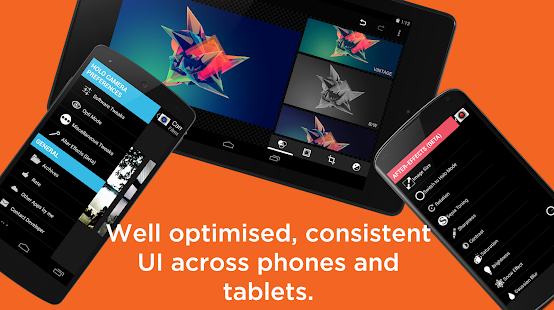
Holo Camera+ is designed to work with all devices running Android 4.0 ( ICS ) and higher.


Size: 7.1 MB
Android Requires 4.0+

https://play.google.com/store/apps/details?id=com.nemesis.cameraholoplus


Holo Camera PLUS - screenshot thumbnailHolo Camera PLUS - screenshot thumbnailHolo Camera PLUS - screenshot thumbnailHolo Camera PLUS - screenshot thumbnailHolo Camera PLUS - screenshot thumbnailHolo Camera PLUS - screenshot thumbnailHolo Camera PLUS - screenshot thumbnailHolo Camera PLUS - screenshot thumbnailHolo Camera PLUS - screenshot thumbnail
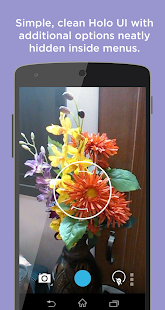
HOLO CAMERA VERSION 2.7 IS HERE!! FEATURING A SLICK NEW UI !

Holo Camera+ is a source compiled, minimalistic version of the AOSP Android 4.4 KITKAT Camera.
Forget the days of washed out, blurry images, with cool colors. Our special Opti™ mode BETA is here to liven up all your pics! Now comes with After Effects BETA! A revolutionary new way to edit pics BEFORE saving them!
Holo Camera+ has the following features:
CAMERA:
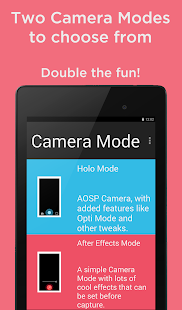
• 3 modes: camera, video recorder and panorama
• Android 4.4 ARC UI
• Volume Rocker as Camera Shutter
• New FX modes
• New Scene modes
• Silent mode (might not work on some devices)
• Pinch to zoom
• Picture quality setting (low/medium/high/ultra)
• Timer
• Burst mode
• Thumbnail Review
• ISO Mode Settings
• Flicker Reduction/Anti-Banding
• Guidelines
• Video quality adjustable
• Per thumbnail context menu. 
• Sliding Drawer for quick options.
• Flash Mode 
• Live FX 
• "ULTRA HD" resolution for devices with more than 8mp Camera. It can be turned on from Miscellaneous Tweaks>Ultra HD
• Configurable UHD Aspect Ratio: Choose between 4:3 or 16:9
• Separate tweaks for front and back camera. 
• Scene mode 
• Auto Exposure Settings 
• Skin Tone Enhancement (NEW!)
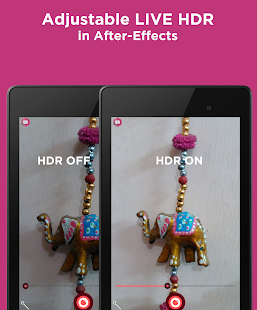
• HDR Support
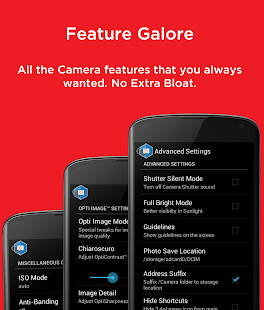
• Additional Settings ( SWIPE RIGHT FROM CAMERA AND PRESS MENU OR SWIPE FROM LEFT MARGIN TO ACCESS:) 
* Silent Shutter Mode.
* Sunlight Visibility Mode
* Storage Location Settings.
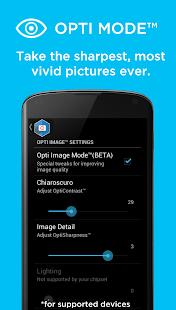
* OPTI™ MODE BETA: With OPTI™ CONTRAST, OPTI™ BRIGHTNESS, OPTI™ SHARPNESS AND OPTI™ SATURATION. With smart pixel by pixel recoloring LIVE and adjustable parameters, forget the days of bad images, take awesome pics with the most vibrant colors and clearest details!
Note: Opti Mode is a beta feature, and might not work on certain devices. Please DO NOT rate me bad because of Opti Mode, because Opti Mode scans your phone's hardware abstraction layer (HAL). If anything does not work in Opti mode, it is probably your phone/camera's fault. Please be considerate before rating me 1 star. :)
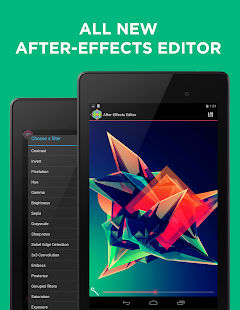
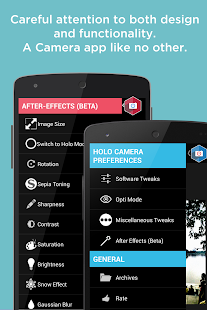
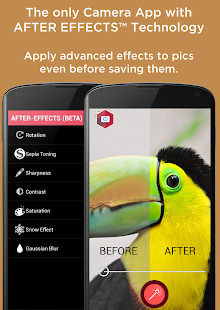
• The ALL NEW AFTER EFFECTS (BETA): A Revolutionary way to edit pics before saving! 
Currently works with the back camera and supports 10 adjustable tweaks:
-Rotation
-Sepia Toning(RGB)
-Sharpness
-Contrast
-Saturation
-Snow Effect
-Blur
-Brightness
-Mean Removal
-Flip
-Rounded corners
-More coming!
GALLERY:
• Ultra fast photos and videos viewer
• Grid view/Filmstrip view
• Swipe to delete
• Slideshow mode
• TONS of cool new features!!
• A VERY POWERFUL Image editor.
FAQ:
Q: What about Photo Sphere?
A: Unfortunately, PhotoSphere isn't opensource, and we are not allowed to publish such apps on Play Store.
Thank you for supporting me (the Dev)! I am a High School student and every few purchases helps me to buy books.
Please feel free to mail me regarding issues, and I'll try my best to fix them.
NOTE: BEFORE GIVING POOR REVIEWS, PLEASE MAIL ME ( avijitg22@gmail.com ) I WILL TRY MY BEST TO HELP YOU. IF I CANNOT, FULL REFUND WILL BE GIVEN. BUT PLEASE EMAIL ME, I CANNOT HELP YOU JUST BY READING REVIEW. 
BIG thanks to Google for their AOSP Source Code. With them, this app would have been nowhere.
Thanks, and keep enjoying this app, and please, I've been working very hard to make sure the app runs smooth and all optimizations work on older devices, so if you like my effort, please leave a 5 star rating. :)
Thanks and lots of love!!
Tags: Android 4.3 Camera, Camera JB+, Snap, Jellybean Camera, Quickshot, Panorama, HDR, Android 4.3 Jelly Bean Camera app , Android 4.3 Jelly Bean Gallery app

What's New
Version 3.0.0:
ALL NEW AFTER EFFECTS!
-After FX is now out of beta
-Adjustable slider
-After FX supports both Cameras and all image sizes
-After FX now has a built in editor
-Faster, real time image processing
-All new Filters! (Check description)
-Live HDR.
ALL NEW ICONS!!!!
Version 3.0.0.1 Update:
Minor bugfixes.
Keep supporting with the good ratings and sharing the words with friends! Means a lot to me as a teen developer. :)

13 Mart 2014 Perşembe

Holo Camera PLUS 3.0.0.3b


Holo Camera+ is designed to work with all devices running Android 4.0 ( ICS ) and higher.


Size: 7.1 MB
Android Requires 4.0+

https://play.google.com/store/apps/details?id=com.nemesis.cameraholoplus


Holo Camera PLUS - screenshot thumbnailHolo Camera PLUS - screenshot thumbnailHolo Camera PLUS - screenshot thumbnailHolo Camera PLUS - screenshot thumbnailHolo Camera PLUS - screenshot thumbnailHolo Camera PLUS - screenshot thumbnailHolo Camera PLUS - screenshot thumbnailHolo Camera PLUS - screenshot thumbnailHolo Camera PLUS - screenshot thumbnail
HOLO CAMERA VERSION 2.7 IS HERE!! FEATURING A SLICK NEW UI !

Holo Camera+ is a source compiled, minimalistic version of the AOSP Android 4.4 KITKAT Camera.
Forget the days of washed out, blurry images, with cool colors. Our special Opti™ mode BETA is here to liven up all your pics! Now comes with After Effects BETA! A revolutionary new way to edit pics BEFORE saving them!
Holo Camera+ has the following features:
CAMERA:
• 3 modes: camera, video recorder and panorama
• Android 4.4 ARC UI
• Volume Rocker as Camera Shutter
• New FX modes
• New Scene modes
• Silent mode (might not work on some devices)
• Pinch to zoom
• Picture quality setting (low/medium/high/ultra)
• Timer
• Burst mode
• Thumbnail Review
• ISO Mode Settings
• Flicker Reduction/Anti-Banding
• Guidelines
• Video quality adjustable
• Per thumbnail context menu. 
• Sliding Drawer for quick options.
• Flash Mode 
• Live FX 
• "ULTRA HD" resolution for devices with more than 8mp Camera. It can be turned on from Miscellaneous Tweaks>Ultra HD
• Configurable UHD Aspect Ratio: Choose between 4:3 or 16:9
• Separate tweaks for front and back camera. 
• Scene mode 
• Auto Exposure Settings 
• Skin Tone Enhancement (NEW!)
• HDR Support
• Additional Settings ( SWIPE RIGHT FROM CAMERA AND PRESS MENU OR SWIPE FROM LEFT MARGIN TO ACCESS:) 
* Silent Shutter Mode.
* Sunlight Visibility Mode
* Storage Location Settings.
* OPTI™ MODE BETA: With OPTI™ CONTRAST, OPTI™ BRIGHTNESS, OPTI™ SHARPNESS AND OPTI™ SATURATION. With smart pixel by pixel recoloring LIVE and adjustable parameters, forget the days of bad images, take awesome pics with the most vibrant colors and clearest details!
Note: Opti Mode is a beta feature, and might not work on certain devices. Please DO NOT rate me bad because of Opti Mode, because Opti Mode scans your phone's hardware abstraction layer (HAL). If anything does not work in Opti mode, it is probably your phone/camera's fault. Please be considerate before rating me 1 star. :)
• The ALL NEW AFTER EFFECTS (BETA): A Revolutionary way to edit pics before saving! 
Currently works with the back camera and supports 10 adjustable tweaks:
-Rotation
-Sepia Toning(RGB)
-Sharpness
-Contrast
-Saturation
-Snow Effect
-Blur
-Brightness
-Mean Removal
-Flip
-Rounded corners
-More coming!
GALLERY:
• Ultra fast photos and videos viewer
• Grid view/Filmstrip view
• Swipe to delete
• Slideshow mode
• TONS of cool new features!!
• A VERY POWERFUL Image editor.
FAQ:
Q: What about Photo Sphere?
A: Unfortunately, PhotoSphere isn't opensource, and we are not allowed to publish such apps on Play Store.
Thank you for supporting me (the Dev)! I am a High School student and every few purchases helps me to buy books.
Please feel free to mail me regarding issues, and I'll try my best to fix them.
NOTE: BEFORE GIVING POOR REVIEWS, PLEASE MAIL ME ( avijitg22@gmail.com ) I WILL TRY MY BEST TO HELP YOU. IF I CANNOT, FULL REFUND WILL BE GIVEN. BUT PLEASE EMAIL ME, I CANNOT HELP YOU JUST BY READING REVIEW. 
BIG thanks to Google for their AOSP Source Code. With them, this app would have been nowhere.
Thanks, and keep enjoying this app, and please, I've been working very hard to make sure the app runs smooth and all optimizations work on older devices, so if you like my effort, please leave a 5 star rating. :)
Thanks and lots of love!!
Tags: Android 4.3 Camera, Camera JB+, Snap, Jellybean Camera, Quickshot, Panorama, HDR, Android 4.3 Jelly Bean Camera app , Android 4.3 Jelly Bean Gallery app

What's New
Version 3.0.0:
ALL NEW AFTER EFFECTS!
-After FX is now out of beta
-Adjustable slider
-After FX supports both Cameras and all image sizes
-After FX now has a built in editor
-Faster, real time image processing
-All new Filters! (Check description)
-Live HDR.
ALL NEW ICONS!!!!
Version 3.0.0.1 Update:
Minor bugfixes.
Keep supporting with the good ratings and sharing the words with friends! Means a lot to me as a teen developer. :)